
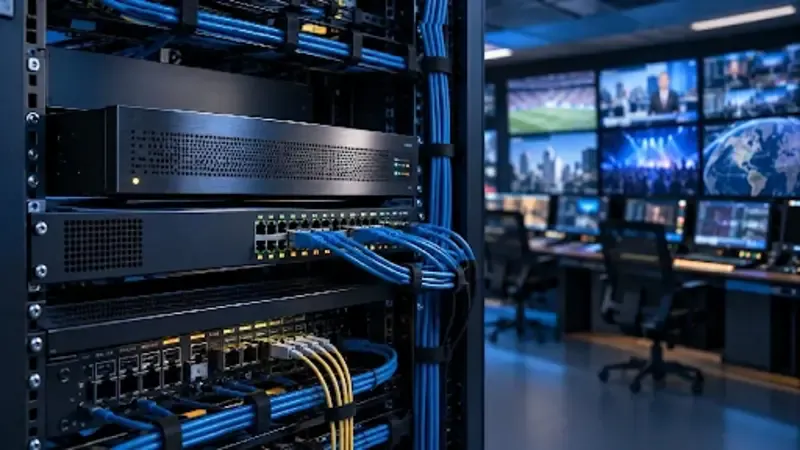
Video distribution has moved far beyond dedicated broadcast cables and fixed television channels. Today, live and recorded content is routinely transported over local networks, private wide-area connections, and the public internet. At the center of this transition is the IP encoder: a system that converts video and audio into compressed digital streams that can travel across Internet Protocol networks. IP encoders are used in broadcasting, corporate communications, education, healthcare, houses of worship, public safety, transportation, sports, hospitality, and digital signage. They can connect a camera to a streaming platform, carry a contribution feed between production locations, distribute television throughout a building, or provide low-latency video for monitoring and control. Although applications differ, the fundamental purpose remains the same: transform an audiovisual source into a network-ready stream that balances quality, bandwidth, delay, reliability, and compatibility.
What Is an IP Encoder?
An IP encoder receives an incoming video signal, compresses the picture and audio, packages the compressed data, and transmits it through an Ethernet or other IP-based interface. The source may come directly from a camera, a production switcher, a media player, a computer, or a receiver. Inputs can use consumer multimedia connections, professional serial digital interfaces, or network-native transport technologies.
Uncompressed video produces far more data than most networks can carry economically. A high-definition signal may require more than a gigabit per second, while ultra-high-definition video can require several times that amount. Compression removes spatial and temporal redundancy, reducing the data rate to a practical level. The encoder must accomplish this reduction without creating unacceptable artifacts or excessive delay.
Hardware IP encoders are purpose-built appliances designed for continuous operation. Software encoders run on servers, workstations, virtual machines, or cloud infrastructure. Hardware often provides predictable latency and dedicated audiovisual interfaces, while software can offer scalability and flexible integration.
Compression Standards and Image Quality
The video codec is one of the most important design choices. Advanced Video Coding, commonly called H.264, remains widely supported across browsers, players, televisions, mobile devices, and professional decoders. High Efficiency Video Coding, or H.265, can provide similar perceived quality at a lower bitrate, making it attractive for 4K video and bandwidth-limited connections. Newer codecs may offer additional efficiency, but their practical value depends on decoding support and available processing power.
Resolution alone does not determine picture quality. Frame rate, color sampling, bit depth, source noise, motion complexity, and encoder settings all influence the result. Fast sports and camera movement are more difficult to compress than a static presentation.
Bitrate is therefore a compromise rather than a universal specification. Increasing bitrate generally reduces compression artifacts but raises network usage and storage costs. Reducing bitrate saves capacity but may soften fine detail, introduce blocking, or create visible distortion during motion. A well-designed system evaluates quality using representative content on the actual display devices used by viewers.
Constant and Variable Bitrate Modes
Constant bitrate encoding targets a predictable data rate. This simplifies bandwidth planning and can be useful on managed networks with fixed capacity. However, it may use more data than necessary during simple scenes and provide too little information during highly complex ones.
Variable bitrate encoding changes the data rate according to picture complexity. It can deliver better overall quality for a given average bitrate, but temporary peaks must be considered. Constrained variable bitrate operation limits those peaks, combining some efficiency benefits with greater network predictability.
Understanding Latency
Latency is the time between an event occurring at the camera and appearing on the destination display. Encoding is only one part of the delay. Video capture, frame synchronization, compression, packetization, network transport, receiver buffering, decoding, and display processing all contribute.
More efficient compression often examines multiple frames to predict motion and remove redundant information. This improves quality at lower bitrates but introduces delay. Low-latency modes reduce the number of buffered frames and may use simpler prediction structures, usually at the cost of compression efficiency or resilience.
The acceptable delay depends on the application. Several seconds may be reasonable for public internet streaming. Live interviews, sports production, and camera control may require delay measured in fractions of a second. Measuring the complete workflow is more useful than considering the encoder alone.
Streaming Protocols and Transport
After compression, the encoded media must be packaged and transported. Different protocols address different operating conditions. Some prioritize low latency over perfect delivery, while others use retransmission, buffering, or adaptive behavior to survive unpredictable networks.
On a managed local network, User Datagram Protocol transport is common because it introduces little overhead and supports multicast. Multicast allows one stream to serve many receivers without sending an individual copy to each endpoint. This is efficient for campus television, enterprise video, or monitoring systems, but it requires correctly configured switches and routers.
Reliable transport protocols are valuable when packets cross the public internet or unstable links. They can recover missing data and adapt to changing network conditions, usually with additional buffering and delay. Web-oriented streaming divides content into media segments and lets the player adjust quality according to available bandwidth. This improves reach but is not normally the lowest-latency option.
Unicast, Multicast, and Adaptive Delivery
Unicast creates a separate data flow for each receiver. It works well for small audiences, individualized sessions, or networks that do not support multicast. However, total bandwidth increases as more viewers connect. Ten viewers receiving a 10-megabit stream can require approximately 100 megabits per second from the originating point.
Multicast sends one stream that the network replicates only where required. It is highly efficient for large groups watching the same live content, but it depends on network features that control group membership and prevent traffic from flooding unintended ports.
Adaptive bitrate delivery creates several versions of the same program at different resolutions and bitrates. A player switches among them as connection quality changes. This is useful for diverse internet audiences, but several renditions must be encoded and distributed simultaneously.
Audio, Metadata, and Synchronization
A complete IP stream carries more than pictures. Audio format, channel count, sample rate, loudness, and language options must match the application and receiver capabilities. Lip synchronization must be maintained throughout encoding and decoding, especially when audio and video enter the system through different paths.
Captions, subtitles, timecode, and other metadata may also be essential. An encoder should preserve required data in a form that downstream platforms can interpret. In multi-device environments, accurate clocks help prevent buffer instability, switching problems, and loss of synchronization.
Network Planning and Reliability
Successful IP video depends on the network as much as the encoder. Average bandwidth is only a starting point. Planners must consider bitrate peaks, packet overhead, simultaneous services, other network traffic, switch capacity, uplink limits, and future growth. Keeping operational headroom reduces the risk of congestion during complex video scenes or network bursts.
Packet loss, jitter, and reordering can damage playback even when nominal bandwidth appears sufficient. Quality-of-service policies may prioritize real-time video, but they must be implemented consistently across the path. Monitoring should examine packet behavior, not merely whether an endpoint responds to basic network tests.
Security and Management
Because an IP encoder is a network device, it must be managed as part of the organization’s security environment. Default credentials should be replaced, administrative access restricted, and management traffic separated where appropriate. Encryption protects content in transit, while authentication prevents unauthorized publishers or receivers from joining a workflow.
Updates should be installed through a controlled process, unused services disabled, and devices included in asset inventories. Centralized management becomes important as channel count grows. Consistent naming, configuration templates, monitoring, alerting, and documented change control help prevent compatibility problems.
Common Applications
Broadcasters use IP encoders for contribution, remote production, studio links, and online distribution. Schools stream lectures and sports, while businesses deliver presentations, training, events, and signage. Venues send camera feeds to displays and production rooms. Community organizations can reach local screens and remote viewers from one workflow.
Selecting and Deploying an IP Encoder
Selection should begin with a written description of the workflow. Important factors include input format, resolution, frame rate, channel count, codec, expected bitrate, latency, protocol, audio, captions, network environment, redundancy, and receiver compatibility. Environmental requirements such as rack space, power, ventilation, and operating temperature also matter.
A proof of concept should use real sources, network paths, and representative decoders. Testing should cover challenging motion, long operating periods, link interruptions, receiver reconnection, audio synchronization, and metadata.
The final configuration must be documented. Addresses, multicast groups, ports, credentials, firmware versions, bitrate limits, input mappings, and recovery steps should not exist only in an operator’s memory. Careful documentation turns a working demonstration into a maintainable production service.
The Continuing Shift Toward IP Video
IP encoders make video easier to route, replicate, monitor, and integrate with software-based workflows. They allow organizations to use common network infrastructure while supporting destinations ranging from a single decoder to a global streaming audience. At the same time, IP introduces new responsibilities involving bandwidth, timing, cybersecurity, interoperability, and network design.
The best results come from treating encoding and transport as one system. Image quality, latency, reliability, and cost are interconnected; improving one may affect the others. With realistic requirements, careful testing, and disciplined network management, IP encoders provide a flexible foundation for modern video contribution and distribution.